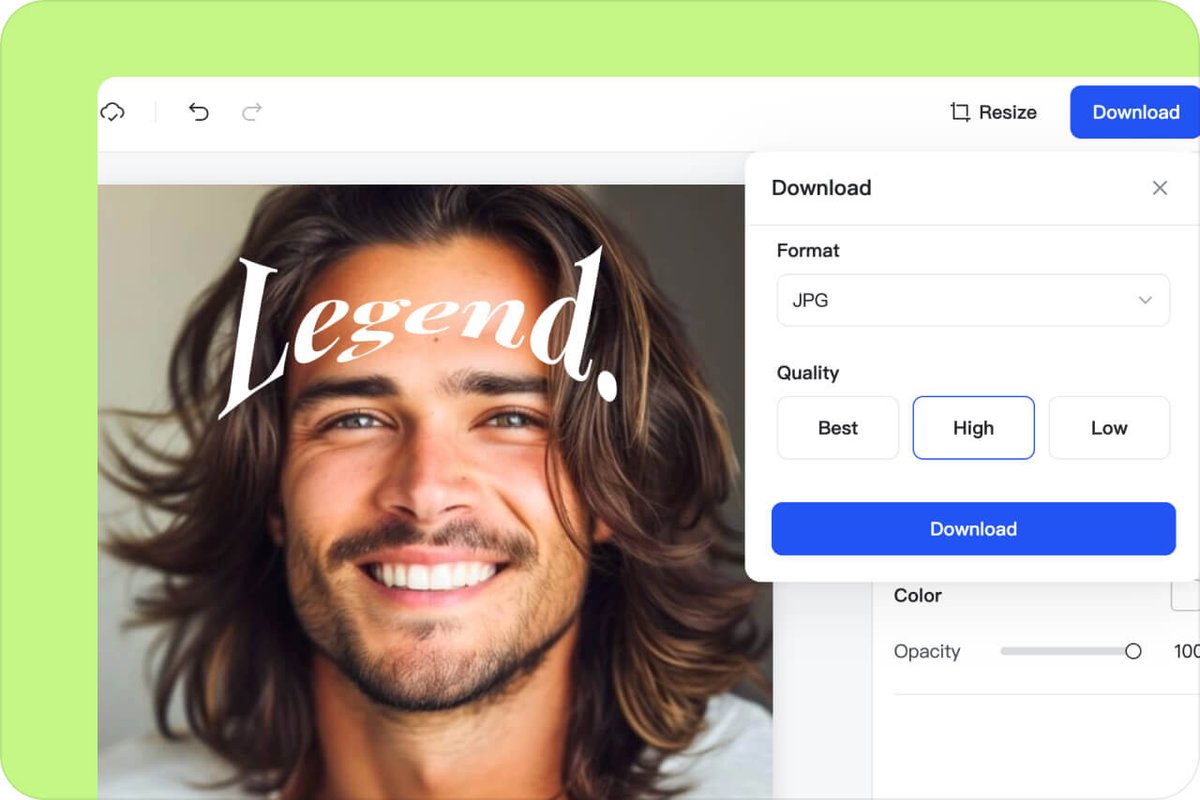
Ever noticed how a perfectly straight line of text, while functional, can sometimes feel... a bit flat? In a world saturated with information, breaking through the visual noise is paramount. This is precisely where the dynamic power of creative applications for round & curved text designs comes into play, transforming mundane messaging into captivating visual experiences that grab attention and linger in the mind.
No longer a niche design trick, bending and shaping text has become an accessible tool for anyone looking to add flair, personality, and professionalism to their visual communications. From subtle arcs to intricate spirals, curved text isn't just about aesthetics; it's about conveying a message with greater impact, reinforcing brand identity, and guiding the viewer's eye with deliberate grace.
At a glance: Why curved text is a game-changer
- Breaks Visual Monotony: Instantly adds dynamism and interest to otherwise flat layouts.
- Enhances Branding: Creates memorable logos, badges, and marketing materials with unique character.
- Guides the Eye: Naturally directs attention along a path, improving readability and flow.
- Adds Personality: Infuses designs with a human touch, whether playful, sophisticated, or edgy.
- Boosts Engagement: Creates more shareable and visually appealing content for social media and presentations.
- Simplifies Complex Info: Can organize information compactly, like in circular diagrams or profile overlays.
- No Design Degree Needed: Modern online tools make professional curved text accessible to everyone.
Beyond the Straight Line: Why Curved Text Resonates
Think about the world around you. Very few things are perfectly linear. Our eyes are naturally drawn to curves, circles, and organic shapes. When you introduce curved text, you tap into this innate preference, making your designs feel more natural, approachable, and engaging.
But it's more than just aesthetics. Curved text serves several functional purposes:
- Visual Hierarchy & Emphasis: A curved headline instantly stands out from straight body text, signaling importance.
- Space Optimization: Circular text can fit neatly around a central image or within a badge, using space efficiently where straight text would be awkward.
- Emotional Connection: The subtle sway of a wave-shaped sentence can evoke a feeling of calm, while a sharp, spiraling phrase might suggest excitement or intensity. It's a powerful, non-verbal communication tool.
Modern design platforms have democratized this capability, moving it from the exclusive realm of graphic designers with complex software to an intuitive feature available to everyone.
The Digital Canvas: Powerful Tools for Bending Text to Your Will
The accessibility of curved text design has skyrocketed thanks to user-friendly online generators. These tools empower you to instantly transform straight lines into arched, bent, warped, twisted, or spiraled text without needing extensive design experience. Let's explore some of the capabilities these platforms offer.
Instant Gratification: User-Friendly Generators
Tools like Canva's Curved Text Generator provide an intuitive entry point. You simply type your text, choose a desired curve shape and direction, and watch it instantly transform. This level of ease allows for rapid experimentation, letting you combine curved letters to form waves, swirls, and intricate patterns.
Customization is often extensive, giving you control over:
- Curve Directions & Angles: Fine-tune how your text bends.
- Colors & Layouts: Match your brand palette and overall design.
- Styles & Fonts: Experiment with different typefaces to convey the right tone.
For those looking to push the boundaries further, some platforms offer advanced controls. Canva, for instance, provides TypeCraft for more intricate bending, warping, and twisting, allowing for truly bespoke text manipulations. This means you can create text that flows perfectly with an organic shape or gives the illusion of motion.
Precision & Professionalism: Elevating Your Curves
When your projects demand exacting control and professional-grade output, specialized tools step up to the plate. CurveText.com's Professional Curved Text Generator is a prime example, offering a robust suite of features that cater to both creative exploration and technical precision.
Imagine creating a custom path for your text – not just a pre-set arc, but a truly unique curve that you define yourself. This is where professional tools shine. They support versatile curve types, including:
- Custom Path: For unparalleled precision, allowing you to draw exactly where your text will go.
- Smooth Curves & Circular Path: For effortless 360° wrapping or gentle undulations.
- Classic Presets: Like heart, wave, or spiral shapes, offering quick starting points.
Under the hood, these tools leverage sophisticated mathematics like Bézier curves, Cardinal splines, and circles to render smooth, scalable curves. A professional path editing system empowers you with: - Anchor Point Dragging: Adjusting points along your curve.
- Control Handle Operations: Fine-tuning the curvature between anchor points.
- Sampling Density Adjustment: Ensuring buttery-smooth lines, even at high resolutions.
- Tangent Direction Control: Guiding how the curve flows into and out of each point.
Beyond the curve itself, text styling is equally critical. Access to extensive font libraries (like 900+ Google Fonts), precise parameter controls for color, size, and spacing, and even shadow and outline effects allow for complete creative freedom. Full Unicode support means you can even integrate emojis and special characters seamlessly into your curved designs.
For convenience, many professional generators include a template library, options for custom shape creation, and the ability to import paths from other design software. They even optimize paths automatically for the best visual results.
Whether you're crafting simple arcs or complex spiral typography, the journey starts with selecting the right digital workbench. Luckily, today's digital landscape offers incredible tools, making it easier than ever to explore the possibilities of an online round text generator for your next project.
Branding That Bends: Making Your Mark Unique
Your brand isn't just a logo; it's a story, a feeling, a promise. Curved text can infuse your branding with a unique personality that sets you apart in a crowded marketplace. It's about moving beyond generic squares and rectangles to embrace shapes that resonate with your brand's essence.
Logos, Badges & Stickers: Iconic Identity
One of the most impactful applications of curved text is in logo design. Imagine a craft brewery's circular logo with its name arcing elegantly around a central illustration, or a vintage-inspired brand using a twisted text effect to evoke a sense of history.
- Circular Logos: Perfect for emblems, seals, or app icons, where text wraps around a central graphic, creating a classic, compact look. Think of the timeless feel of university crests or traditional club badges.
- Branded Stickers & Badges: These physical manifestations of your brand get noticed. A perfectly curved brand name on a custom sticker for your product packaging or an event badge makes a strong impression. The text becomes an integral part of the shape, creating a cohesive and polished identity.
- Product Labels: For beverages, jars, or specialty items, curved text can beautifully complement the contours of the product itself, making the packaging feel more bespoke and appealing.
Business Cards & Presentations: Professional Polish
Even in professional contexts, curved text can elevate your materials without sacrificing readability.
- Business Cards: Instead of a standard straight name, a subtly curved company name or tagline can add a touch of sophistication and memorability. It suggests a brand that pays attention to detail and embraces creativity.
- Presentations: Imagine a presentation title that gracefully arches over a hero image, or section titles that gently curve to transition between topics. This creates a visually engaging flow, making your slides less monotonous and more impactful. It adds a premium feel that grabs and holds audience attention.
Visual Storytelling: Engaging Your Audience with Curves
Beyond branding, curved text is a powerful narrative tool, capable of adding emotion, dynamism, and clarity to your visual storytelling. It’s about more than just words; it’s about how those words feel and move.
Social Media & Event Banners: Stop the Scroll
In the fast-paced world of social media, you have mere seconds to capture attention. Curved text is an instant scroll-stopper.
- Engaging Social Media Content: A call-to-action that spirals inward or a quote that undulates like a wave instantly stands out from the sea of linear posts. It adds a playful, energetic, or even elegant vibe, depending on the curve. This makes your content more shareable and memorable.
- Event Banners & Posters: For concerts, festivals, or grand openings, dynamic curved text in titles and key information can convey excitement and movement. A large banner with a sweeping text arc communicates grandeur, while a jagged, warped text might hint at an edgy, alternative event. These designs are highly effective at drawing eyes from a distance.
Profile Photo Overlays & Compact Diagrams: Informative & Artistic
Curved text isn't just for flair; it's also incredibly practical for organizing information visually.
- Profile Photo Overlays: Adding a curved frame of text around a profile picture for a cause, event, or team affiliation is a popular and effective way to show support. It's concise, visually appealing, and keeps the focus on the central image while conveying additional context.
- Compact Diagrams: When space is at a premium, circular text can label segments of a pie chart, describe phases in a circular process, or annotate elements around a central diagram. This keeps information tightly organized and aesthetically pleasing, making complex data easier to digest. Think of an infographic illustrating a life cycle or a workflow.
Design Details: Crafting Perfect Curves
Achieving stunning curved text goes beyond simply picking a preset. It involves a thoughtful approach to typography, path creation, and output quality.
Choosing the Right Curve & Path
The type of curve you choose dramatically impacts the message.
- Subtle Arc: Ideal for adding a touch of elegance or softness without sacrificing readability. Great for formal invitations or sophisticated branding.
- Full Circle: Best for badges, seals, and emblems where symmetry and compactness are key.
- Wave/Serpentine: Conveys movement, playfulness, or a natural, organic feel. Perfect for creative titles or social media posts.
- Spiral/Twist: High impact, often used to depict intensity, urgency, or an artistic, abstract concept. Use sparingly to avoid overwhelming the viewer.
- Custom Path: The ultimate control. If you have a specific shape in mind – perhaps tracing the outline of an object or flowing around an irregular graphic – a custom path allows your text to perfectly conform. Tools with Bézier curve capabilities, allowing you to manipulate anchor points and control handles, are invaluable here.
Typography and Readability: Don't Get Lost in the Bend
A beautiful curve is useless if the text becomes illegible.
- Font Choice: Sans-serif fonts (like Arial, Helvetica, Lato) tend to hold up better when curved due to their simpler letterforms. Script or overly decorative fonts can become muddy and difficult to read when distorted.
- Letter Spacing (Kerning) & Line Height: When text curves, the natural spacing between letters can appear uneven. Professional tools allow precise parameter controls for kerning and tracking, enabling you to manually adjust spacing to maintain visual balance and readability.
- Text Size: Larger text generally handles curves better. For smaller applications, opt for a very subtle curve or stick to straight text.
- Curve Intensity: The tighter the curve, the harder it is to read. Balance visual flair with legibility, especially for critical information.
Resolution and Output: From Screen to Print
The final quality of your curved text depends on how it's rendered and exported.
- Vector vs. Raster: For logos and print materials, always aim for vector output (SVG, AI, EPS) if your tool supports it. Vector graphics are infinitely scalable without losing quality. If raster (PNG, JPG) is the only option, ensure high resolution.
- High-Quality Output: Modern generators offer multi-format output at various resolutions (Standard, High, Ultra). For web use, Standard (1x) might suffice, but for print, portfolios, or commercial applications, High (2x) or Ultra (3x) resolutions are crucial to prevent pixelation.
- Shadows and Outlines: These effects can add depth and pop to curved text but use them judiciously. A subtle shadow can make text appear to lift off the background, while a thick outline can make it feel heavier or more cartoonish. Experiment to find what complements your design.
Common Pitfalls and Pro Tips
Even with the best tools, it's easy to stumble. Here's how to avoid common mistakes and make your curved text shine.
Pitfalls to Avoid:
- Overdoing It: Not every piece of text needs to be curved. Too many curves or overly aggressive bends can make a design look cluttered and unprofessional. Use curved text as an accent, not the default.
- Sacrificing Readability: The most common mistake. If your text is too small, too tightly curved, or uses an inappropriate font, it will simply frustrate your audience. Always prioritize legibility.
- Inconsistent Styling: If you use curved text multiple times in a single design, ensure consistency in curve intensity, font, and spacing unless intentional variation serves a specific purpose.
- Poor Resolution: Exporting at a low resolution for print or large digital displays will result in pixelated, unprofessional-looking text. Always select the highest appropriate resolution.
- Ignoring Mobile Experience: Many designs are viewed on small screens. Complex, tightly curved text can be illegible on a phone. Consider responsive design principles and test your curved text on various devices. Some professional tools even offer touch-optimized mobile experiences with gesture support to make on-the-go design easier.
Pro Tips for Mastering Curved Text:
- Start Simple: Begin with gentle arcs. As you gain confidence, experiment with more complex shapes.
- Use Grids & Guides: Aligning curved text can be tricky. Use invisible grids or alignment guides within your design software to ensure symmetry and balance.
- Contrast is Key: Ensure sufficient contrast between your curved text and its background. This further aids readability, especially with more dynamic shapes.
- Test, Test, Test: View your design on different screens, devices, and even in print if applicable. What looks good on your large monitor might be difficult to read on a phone.
- Combine with Straight Text: Often, the most effective designs blend curved headlines or accents with straight body text. This creates visual interest without overwhelming the reader.
- Consider the "Why": Before curving text, ask yourself: Why am I doing this? Does it enhance the message, improve the design, or simply add flair? If it serves a purpose, go for it. If not, stick to straight.
- Leverage Templates: Many generators offer a template library. These are excellent starting points for understanding good curved text design principles and can save you significant time.
Your Next Steps: Bending Text Like a Pro
The journey into creative applications for round and curved text designs is one of endless possibilities. You now have a solid understanding of why it's impactful, the tools available, and how to apply it across branding and visual storytelling.
The key is to experiment. Open up one of the online generators mentioned – Canva or CurveText.com – and start playing. Type in your brand name, a favorite quote, or a headline for a project. Try different curve types, adjust angles, play with fonts, and see how quickly you can transform a flat message into something dynamic and engaging.
Don't be afraid to make mistakes; that's where true learning happens. With each curve you master, you're not just shaping text; you're shaping perceptions, enhancing communication, and elevating your design game. So go ahead, unleash your creativity, and let your words truly move!