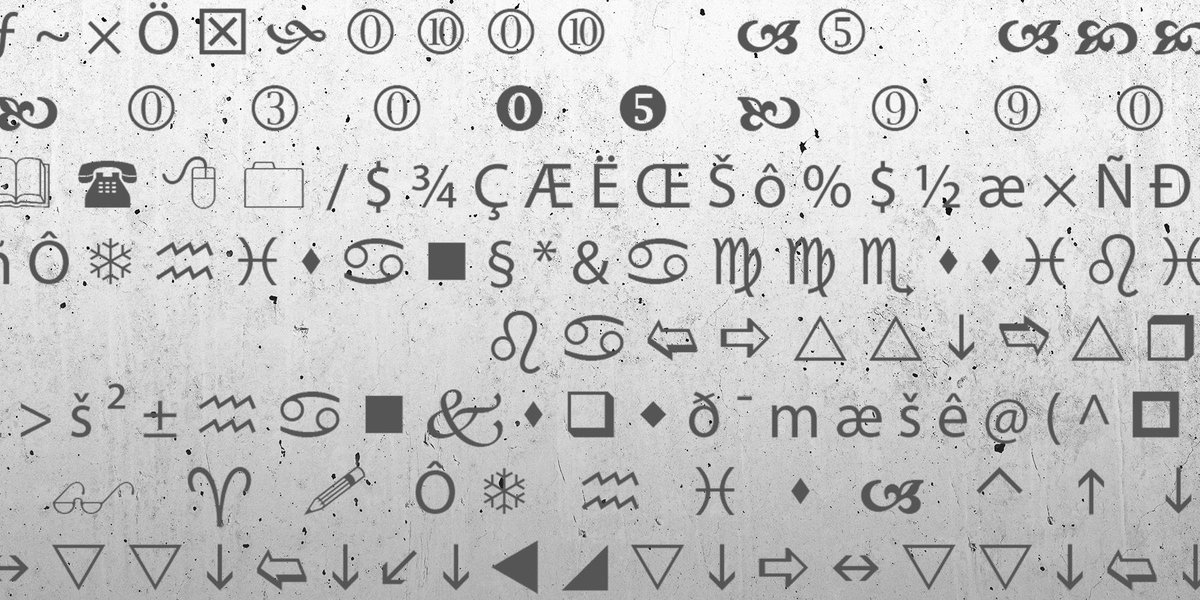
Ever tried to make a word stand out in a social media caption, only to realize the platform has no "bold" button? Or wished you could add a subtle strikethrough to a message without resorting to awkward dashes? You're not alone. The digital world is full of spaces where traditional rich text formatting (the kind you get in Word or on a website) simply doesn't exist. This is where Understanding Special Characters and Unicode for Styled Text becomes your secret weapon, transforming plain words into visually dynamic expressions that travel seamlessly across platforms.
Think of it as unlocking a hidden language within your keyboard – a way to add personality, emphasis, and flair to text, whether you're crafting a catchy Instagram bio, making an announcement on Discord, or just wanting your message to pop in a WhatsApp chat. It's not about complex code; it's about harnessing the incredible power of the world's universal text standard: Unicode.
At a Glance: Key Takeaways on Styled Text & Unicode
- Styled text isn't "formatted" text: Instead of applying a style (like bolding with an HTML tag), you're actually using different Unicode characters that inherently look bold, italic, or struck through.
- Unicode is the universal text translator: It assigns a unique number to every character across every language and symbol set, making global digital communication possible.
- Copy-paste magic: Because styled text uses actual Unicode characters, you can copy and paste it into almost any text field, regardless of whether the platform supports traditional rich text.
- Boost your online presence: Use styled text for social media bios, posts, messaging apps, and comments to grab attention, create visual hierarchy, and add personality.
- Simple tools make it easy: Online generators can convert your plain text into various Unicode styles instantly, saving you from complex manual inputs.
- Mind the nuances: While powerful, be aware that not all devices or fonts display every Unicode character perfectly, and overuse can hinder readability or accessibility.
Beyond A-Z: The Vast World of Special Characters
Before we dive into how text can look styled, let's establish what "special characters" truly are. Most of us are familiar with the standard alphanumeric characters: A-Z, a-z, and 0-9. But open a book, glance at a keyboard, or scroll through your phone's emoji picker, and you'll encounter a universe far richer.
Special characters encompass everything beyond those basic letters and numbers. This includes:
- Symbols: Like
©(copyright),®(registered trademark),™(trademark),§(section sign),†(dagger),—(em dash),•(bullet point),…(ellipsis). - Punctuation variations: Think
‘and’(curly quotes) instead of'(straight apostrophe). - Mathematical notations:
∑,∫,π,÷,×. - Accented letters and international characters:
é,ñ,ü,ç,ø,漢字(Kanji),नमस्ते(Namaste). - Emojis:
😂,❤️,👍. - Even invisible characters: Like zero-width joiners or non-breaking spaces, which serve specific formatting or display purposes.
These characters are crucial for proper typography, mathematical notation, supporting international languages, programming, and even design. Without them, our digital conversations would be incredibly monotonous, and global communication would be a linguistic nightmare.
In web development, you might have encountered these as HTML entities (like©for ©) or Unicode values (like©). In word processors, you typically access them via an "Insert Symbol" menu. But for the average user, knowing they exist and how to get them into your text is the first step.
Unicode: The Rosetta Stone of Digital Text
Imagine a world where every book was written in a different alphabet, and you needed a unique translator for each one. That's essentially what digital text was like before Unicode. Different computer systems used different "encodings" for characters, leading to frustrating "mojibake" (garbled text) when you tried to open a document created on another machine or in another language.
Enter Unicode. Invented to solve this chaos, Unicode is a universal character encoding standard. Its genius lies in a simple principle: every character, in every language, on every platform, gets its own unique number.
This unique number is called a code point, usually represented as U+ followed by a hexadecimal value (e.g., U+0041 for the capital letter 'A', U+260E for a black telephone symbol ☎).
Why is this a game-changer for styled text?
- Universality: Once a character is defined by Unicode, any system that understands Unicode can theoretically display it correctly, regardless of the original program or language.
- Vastness: Unicode doesn't just cover standard Latin letters. It encompasses virtually every script on Earth (and even some fictional ones!), a massive collection of symbols, emojis, and crucially for our purpose, variant forms of existing letters.
This vastness is what allows us to create text that looks styled without using traditional formatting.
The Magic Behind Styled Text: When Characters Are the Style
Here's the core concept that makes "styled text" so powerful: it's not formatting; it's character substitution.
When you bold text in Microsoft Word or with an HTML <b> tag, you're instructing the program or browser to render the existing characters in a bold typeface. The underlying character itself (A) remains the same.
With Unicode styled text, you're actually replacing the standard character with a different Unicode character that has a bold (or italic, or strikethrough) appearance built into its very definition.
Consider this:
- Standard 'A':
A(Unicode code point:U+0041) - Bold 'A':
𝗔(Unicode code point:U+1D5D4- Mathematical Bold Capital A) - Italic 'A':
���(Unicode code point:U+1D434- Mathematical Italic Capital A)
Notice how each styled 'A' has a completely different Unicode code point than the standard 'A'. They are distinct characters, not just the same character rendered differently.
Why this is a game-changer:
Because these are actual, distinct Unicode characters, they can be copied and pasted universally. If a platform only accepts plain text (like many social media bio fields, comments sections, or messaging apps), you can paste these "styled" characters, and they will retain their visual appearance. The platform isn't "formatting" them; it's simply displaying the characters you've provided, just as it would display a standard 'A' or an emoji.
This bypasses the limitations of platforms that lack rich text editors, allowing you to inject emphasis and visual appeal into almost any digital space.
Deconstructing Unicode Styles: How They Work Under the Hood
Let's break down some common Unicode styles and the clever ways they leverage different character sets:
1. Bold and Italic Text
As mentioned, these styles often come from the Mathematical Alphanumeric Symbols block within Unicode. This block was originally designed for scientific and mathematical notation, where distinct bold, italic, or script versions of letters are needed to represent different variables or concepts.
- Example: When you type "bold," a styled text generator converts it character by character:
b(U+0062) becomes𝗯(U+1D5EE)o(U+006F) becomes𝗼(U+1D5F8)l(U+006C) becomes𝗹(U+1D5F5)d(U+0064) becomes𝗱(U+1D5F1)
Result:𝗯𝗼𝗹𝗱
The same principle applies to italic, bold italic, and even script or fraktur styles found in this block.
2. Strikethrough Text
This is one of the most ingenious uses of Unicode for styling, employing a special type of character called a combining character.
Instead of replacing the original character with an entirely new one, a strikethrough generator adds a combining long solidus overlay character (U+0336) after each character you want to strike through.
- Example: To strike through "text":
tfollowed byU+0336(t̶)efollowed byU+0336(e̶)xfollowed byU+0336(x̶)tfollowed byU+0336(t̶)
Result:t̶e̶x̶t̶
Combining characters are designed to be rendered on top of or alongside the preceding character. This allows for flexible effects without altering the base character, effectively "drawing" the strikethrough line over your text.
3. Small Caps
Unicode offers specific Small Capital Letter characters (e.g., U+1D00 for ᴀ). These aren't just scaled-down capital letters; they are distinct characters designed to have the appearance of a capital letter but the height of a lowercase letter.
- Example: "small caps" becomes
Sᴍᴀʟʟ ᴄᴀᴘs(note how the "S" is a regular capital, but the rest are small caps, maintaining an aesthetic similar to traditional typography).
4. Monospace Text
Monospace text, where every character occupies the same horizontal space, is useful for code snippets or emphasizing distinct text. While some platforms offer true monospace formatting, Unicode provides ways to simulate it.
One common method involves using Fullwidth Characters from the CJK (Chinese, Japanese, Korean) Unicode blocks. These characters are designed to occupy a full-width square space, and when applied to Latin letters, they create a distinctive, uniform-width appearance.
- Example: "monospace" becomes
monospace
5. Bubble Text
Bubble text (or enclosed alphanumeric characters) uses Unicode characters where letters and numbers are surrounded by a circle or other shapes. These come from various Unicode blocks, often labeled "Enclosed Alphanumerics."
- Example: "bubble" becomes
ⓑⓤⓑⓑⓛⓔor🅑🅤🅑🅑🅛🅔
Understanding these underlying mechanisms demystifies how styled text generators work. They're essentially powerful character lookup and substitution tools, not formatting engines.
Unlocking Expressive Text: Practical Uses for Unicode Styling
The real power of Unicode styled text lies in its utility. Because it's portable plain text, you can use it in countless scenarios where standard formatting is unavailable:
- Social Media Posts & Bios (Instagram, Facebook, Twitter, TikTok): Make your profile stand out, add emphasis to calls to action, or highlight key information in your posts. A bold headline for an event or an italicized quote can dramatically increase engagement.
- Messaging Apps (WhatsApp, Telegram, Discord, Slack): Break free from plain chat messages. Use bold for urgent announcements, strikethrough for corrections or sarcasm, or monospace for sharing code snippets or specific instructions.
- Profile Bios & Usernames: Craft unique, eye-catching bios that reflect your personality without relying on emojis alone. Some platforms even allow styled characters in usernames, though this can sometimes make them harder to search.
- Comments and Replies: Distinguish your comments in a crowded feed, add a subtle emphasis, or simply make your voice unique.
- Meme Creation: The visual distinction of styled text can add another layer of humor or emphasis to text-based memes.
- Announcements & Events: Draw immediate attention to important details, dates, or names in a way that plain text simply can't.
- Creative Writing: Add a unique typographical flair to short stories or poetry shared online, creating visual texture.
The core benefit? It helps you create visual hierarchy and emphasis, making your content stand out in a sea of plain text. It adds personality and can improve readability by drawing the eye to key information.
Choosing Your Tools: Simplifying Unicode Styling
Manually typing Unicode characters can be a tedious process. You'd need to remember complex Alt codes on Windows, use specific character viewers, or constantly copy-paste from reference sites. This is where modern tools step in to bridge the gap between complex Unicode mechanics and effortless user experience.
The most straightforward solution is a Styled Text Generator. These browser-based tools make the process instant and intuitive:
- Enter Your Text: Type or paste your desired message into a text box.
- Select & Style: Highlight the specific words or phrases you want to change.
- Click a Style Button: Choose from options like Bold, Italic, Strikethrough, Monospace, Small Caps, or Bubble.
- Repeat & Refine: Apply different styles to other parts of your text as needed.
- Copy: With a single click, the fully styled text is saved to your clipboard.
- Paste Anywhere: Paste your beautifully styled text into social media, messaging apps, or any other platform.
Many of these generators are free, browser-based, and prioritize user privacy by not storing or transmitting your text. They often provide a real-time preview, character/word counts, and allow for selective styling – meaning you don't have to style your entire message. For instance, if you're looking for different text variations beyond standard styling, a round text generator might offer even more unique visual choices to experiment with. These tools remove the barrier of entry, making the power of Unicode accessible to everyone.
Navigating the Nuances: Compatibility, Caveats, and Considerations
While incredibly versatile, Unicode styled text isn't a perfect solution for every scenario. Understanding its limitations helps you use it effectively and avoid potential pitfalls.
1. Font Support Varies
The biggest hurdle for Unicode styled text is font compatibility. For a Unicode character to display correctly, the font being used by the viewing device or application must contain a glyph (a visual representation) for that specific code point.
- What this means for you: While most modern operating systems and browsers have excellent Unicode font support, some older devices, niche applications, or custom fonts might not include glyphs for every obscure mathematical symbol or enclosed character.
- The result: If a character isn't supported, it might appear as a generic placeholder box (often called a "tofu" character
�), a question mark, or an incorrect rendering. - Recommendation: Always test your styled text on various devices and platforms if perfect display is critical.
2. Platform Rendering Differences
Even if a font supports the character, different platforms or applications might render the same Unicode character with slight variations in size, weight, or spacing. This is less common but can sometimes lead to subtle inconsistencies in appearance.
3. Accessibility Concerns
This is a crucial consideration. While Unicode styled text is visually distinct, it can pose challenges for users relying on screen readers or other assistive technologies.
- Screen readers often announce characters literally by their Unicode name (e.g., "Mathematical Bold Capital A" instead of just "A"). Imagine a screen reader trying to pronounce "𝘁𝗵𝗶𝘀 𝗶𝘀 𝗯𝗼𝗹𝗱 𝘁𝗲𝘅𝘁" – it could become "mathematical bold small t, mathematical bold small h, mathematical bold small i..." which is incredibly disruptive and confusing.
- For users with cognitive disabilities or dyslexia, overly ornate or unusual Unicode fonts can also decrease readability.
- Recommendation: Use Unicode styled text sparingly for emphasis or aesthetic flair, not for core informational content that needs to be universally accessible. Avoid it entirely for formal documents or anything requiring legal or professional clarity.
4. When Not to Use Unicode Styled Text
- Formal Documents & Professional Communication: Stick to standard formatting (bold, italic) available in your word processor or email client.
- Code: Never use styled Unicode characters in programming code; it will break your code.
- SEO-Critical Text: While search engines generally can read Unicode characters, relying heavily on unusual characters for keywords might be a risk. It's safer to use standard characters for titles, headings, and primary content you want search engines to easily index.
- Long Passages: Overusing styled text makes reading difficult and can come across as unprofessional or "shouty."
5. Identifying Unfamiliar Characters
Encountered a strange character and want to know what it is? Tools like a "Symbol Spotter" can be incredibly useful. You simply copy and paste the character into the tool, and it will provide detailed information, including its Unicode value and HTML entity (if applicable). This can help you understand unusual characters and even diagnose display issues.
Crafting Your Message: Best Practices for Effective Styled Text
Now that you understand the mechanics and nuances, here's how to wield the power of Unicode styled text responsibly and effectively:
- Use Sparingly for Emphasis: Think of styled text as a highlighter. Its impact is greatest when used on specific words, phrases, or short headlines. An entire paragraph in bold bubbles quickly loses its effect and becomes hard to read.
- Prioritize Readability: Always ensure your chosen style remains legible. Some overly ornate or decorative Unicode character sets can be difficult for many people to parse, especially on smaller screens.
- Test Across Platforms: Before publishing something critical with styled text, do a quick check on different devices (iOS, Android, desktop) and platforms (Instagram, Facebook, WhatsApp) to ensure it renders as intended. This helps catch compatibility issues early.
- Consider Your Audience: Are you communicating with a younger, tech-savvy audience on Discord, where playful bubble text is common? Or a more formal audience on LinkedIn, where subtle bolding might be more appropriate (if you can even use it)? Tailor your style to your context.
- Combine Styles Thoughtfully: A single message can benefit from a judicious mix of styles. For instance, a bold headline with italicized sub-points, or strikethrough for a playful correction within a bold announcement. Don't overdo it – two or three distinct styles are usually plenty for a single block of text.
- Maintain Brand Consistency (if applicable): If you're using styled text for a brand, try to maintain a consistent aesthetic that aligns with your brand's overall visual identity.
Frequently Asked Questions (FAQs)
Is Unicode styled text secure?
Yes, it's just text. It doesn't contain malicious code or function differently than regular text. It simply uses different Unicode character representations.
Can search engines read Unicode styled text?
Generally, yes. Most modern search engines (like Google) are sophisticated enough to parse and understand various Unicode characters. However, as a best practice for SEO-critical content, stick to standard alphanumeric characters for primary keywords, titles, and descriptions. Use styled text for aesthetic enhancement in social media or non-SEO contexts.
Why does my styled text look different on some devices?
This is almost always due to font support. The specific font being used by the device or application you're viewing the text on might not contain glyphs for all the specialized Unicode characters used. This results in placeholder boxes, question marks, or default font fallbacks.
Is it really "formatting"?
No, not in the traditional sense. When you apply "bold" in a word processor, you're telling the software to render existing characters in a bold font style. With Unicode styled text, you are replacing the standard characters with entirely different Unicode characters that inherently look bold (or italic, etc.). It's a substitution, not an applied style.
Empowering Your Text: A Path Forward
The digital landscape is constantly evolving, and the way we communicate reflects that. Understanding special characters and the power of Unicode for styled text isn't just a technical detail; it's a creative tool. It empowers you to break free from the limitations of plain text, inject personality, emphasize critical information, and stand out in an increasingly crowded online world.
From crafting an unforgettable social media bio to making your messages more engaging in chat, the ability to thoughtfully use Unicode styled text is a valuable skill in your digital toolkit. Experiment with different styles, observe how they're received, and let your text speak volumes, even without traditional formatting buttons. The world of digital expression is now richer, and you're equipped to navigate its depths with confidence and flair.